
MCP Funnel building
One prompt. State-of-the-art funnel building. What used to take hours now takes minutes.
Build lead funnels in under 60 seconds. Use promo code WARRIOR25 for 25% off the first month. Limited time.
14-day free trial · Then 25% off the first month with code WARRIOR25
Building a funnel used to take hours. Now you can go from prompt to funnel in 3 steps and it's all done for you.
Hook Claude, Cursor, or any MCP-ready assistant to MCP LeadFlow. One connection and you are ready to build.
Type one sentence, send a detailed prompt, or attach funnel screenshots - all work. Landing pages, surveys, routing and API integration can all come from that prompt.
The funnel is built. Tweak it by hand inside MCP LeadFlow or keep prompting AI. Either way, you can route and ship it in under a minute.
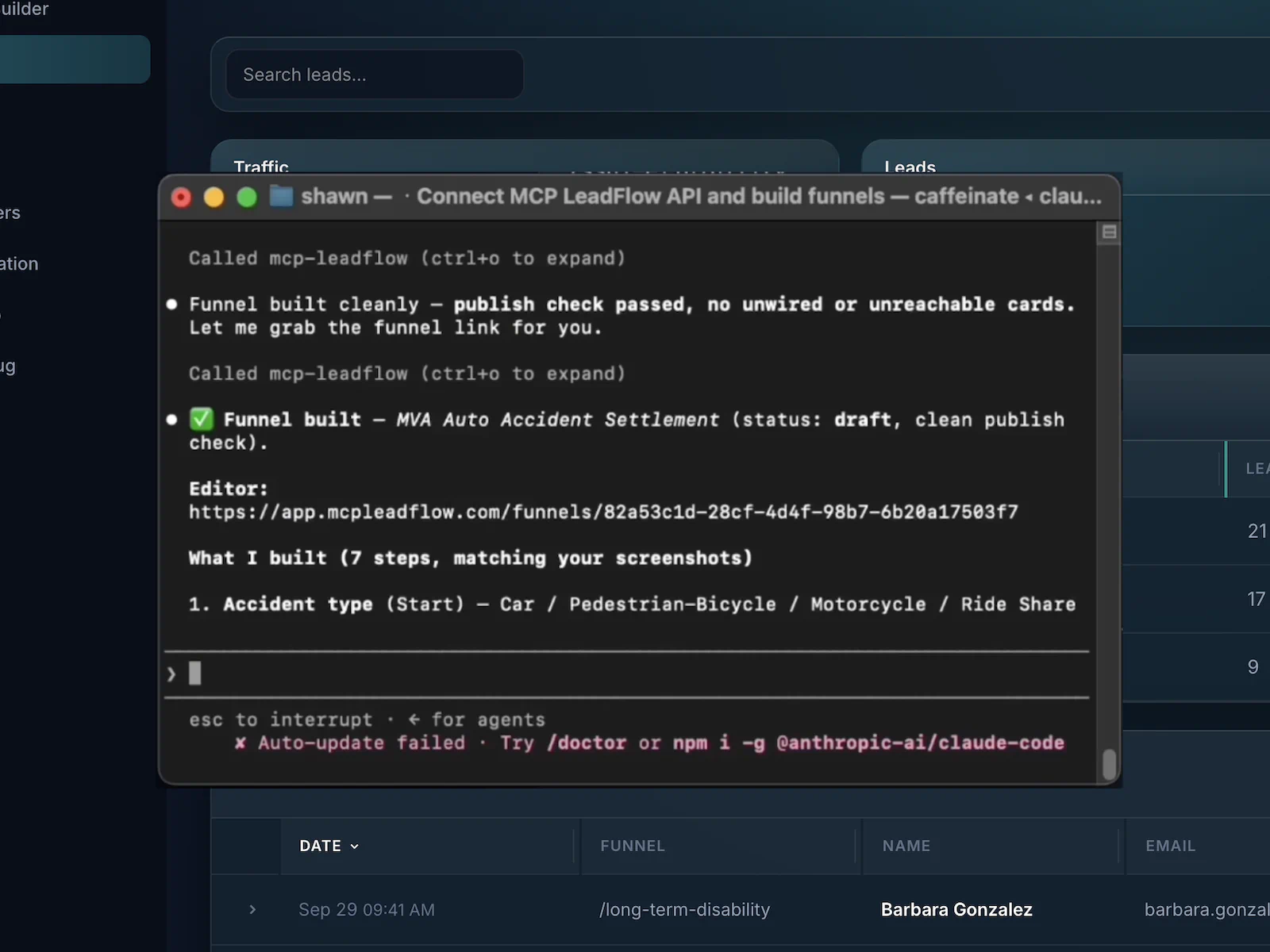
Doing everything funnel builders did in the past, just quicker. Without you doing all the work.
One prompt. State-of-the-art funnel building. What used to take hours now takes minutes.
Branch on the answers and send each lead to the right place. Keep the ones that fit and re-route the ones that do not.
Confirm the phone number is real before the lead counts. Connect Twilio and add an OTP step to the funnel.
Edit the flow yourself in a visual builder. The canvas design shows you exactly where leads will go.
Filter out leads that do not fit, and send the rest where they can convert. Do not leave money on the table.
See what the funnel is doing. Track submissions, drop-off, and where each lead went.
Send leads to your customer's CRM or your lead distribution system using API and/or webhooks.
Drop in the pixels and certificates buyers expect. Compliance and attribution without extra glue.
Real people when you get stuck. Live chat support is included so you are not left guessing.
Previous funnel software just added AI to a manual builder. MCP LeadFlow was built from day one so your AI agent builds the funnel for you. Explore the funnel builder.
❌ Build every page manually
✅ Describe what you want
❌ Write every question
✅ Questions generated for you
❌ Wire every branch
✅ Logic built automatically
❌ Make every edit yourself
✅ Just tell your AI to change it
❌ Dig through analytics
✅ Ask your AI what is working
❌ Hours of setup
✅ Ready in under 60 seconds
Check out how we can generate a funnel in 60 seconds.
14-day free trial · Then 25% off the first month with code WARRIOR25
Our most commonly asked questions.
Click Try for Free, create your account, and begin your 14-day free trial. When the trial ends, monthly billing starts automatically and you keep full access.
Open live chat and talk with us in real time. We answer questions, walk you through setup, and help you get your funnels live — not a ticket queue. Live support is included with your subscription.
Yes. You get a 14-day free trial. A card is required. After that, monthly billing starts automatically.
Any type of funnel. Chat, standard pages, surveys, landing pages, whatever you need. You can even send screenshots and we create it automatically.
Of course. Embed the funnel on WordPress, Webflow, Squarespace, Wix, Shopify, Framer, or any other site that accepts an embed. If you can put a snippet on the page, it works.
Yes. Add an OTP step to the funnel, connect Twilio, and the lead has to enter the code to confirm the lead. This means higher quality leads.
No. No caps on leads, websites, or team members. Capture as many leads as you want, use MCP LeadFlow on as many sites as you need, and invite your whole team.
No. Describe the funnel to your AI, review it in the visual builder, and publish. You can edit by prompting or by clicking — no code required.
Yes. Funnels are responsive and work on desktop, tablet, and mobile browsers.
Yes. Paste the embed snippet on your site — WordPress, Webflow, Squarespace, Wix, Shopify, Framer, or any page that accepts HTML. Hosted links work too if you prefer not to embed.
The quickest recorded was 14 seconds, but it was a simple funnel. Some larger funnels take longer for your LLM to build. It also depends on your instructions and the models you use.