
Business funding inquiry
See if your business may qualify
A few questions about the business. Someone follows up only if it fits.
- Monthly revenue
- Business name
- A way to reply
Forms, qualification, and the handoff
A lead capture page collects the lead. Instead of designing the page, placing every field, and then connecting the logic somewhere else, describe what you need. A connected AI client drafts the flow in MCP LeadFlow.
14-day free trial · Card required · Then $49.99/mo · Cancel anytime
Business funding inquiry
See if your business may qualify
Revenue, the business name, and a way to reply. One job: collect the lead.
A lead capture page is a focused page that turns a visitor into a lead by collecting a name, email, phone number, or the details that show whether they fit. A normal website page can chase several goals. This one is usually built around a single action: completing the form.
The page around the questions is the landing page builder. The questions themselves are the funnel builder.
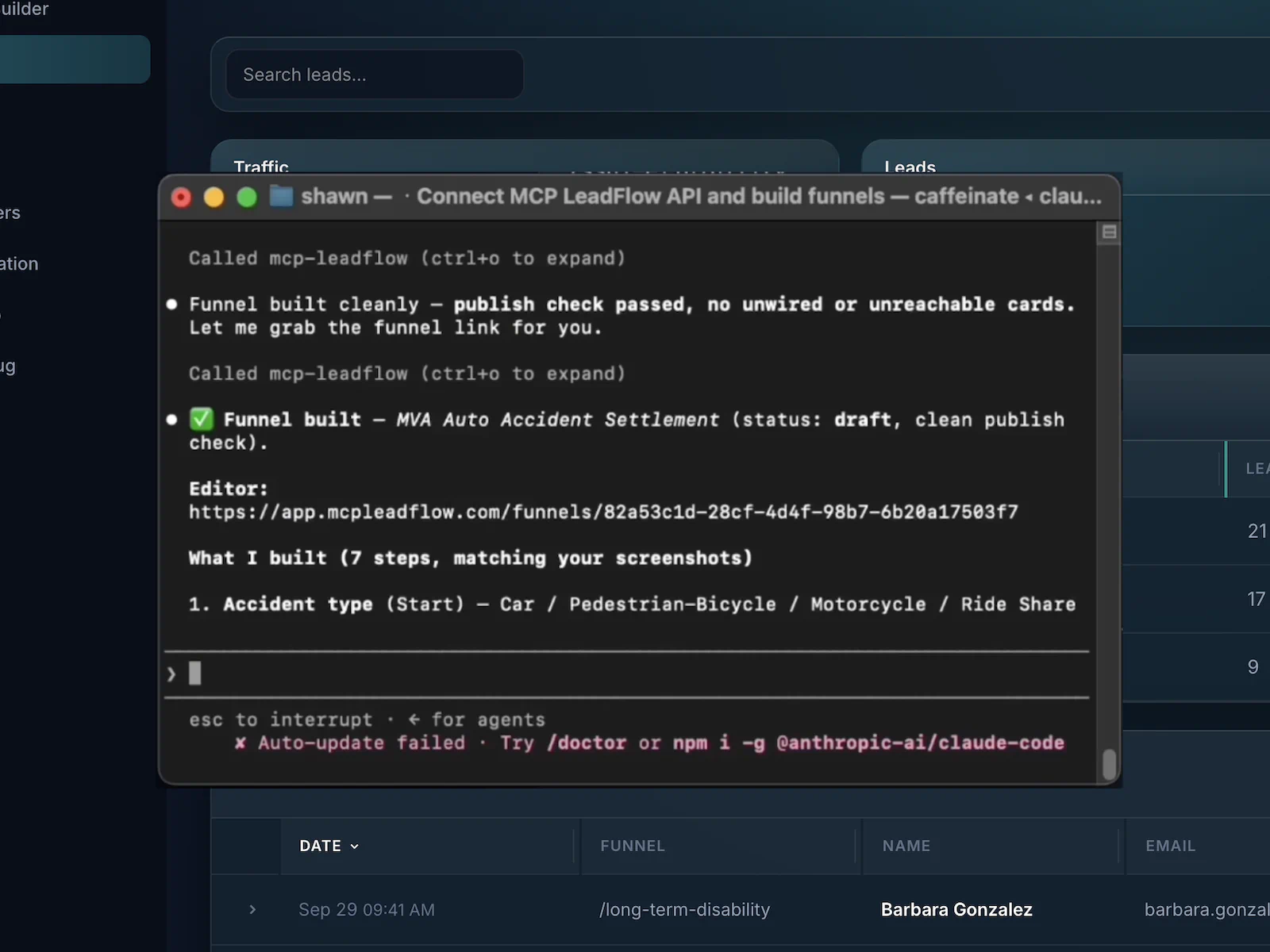
You connect an MCP client, describe the page, and review the draft. The connection itself is covered on the AI funnel builder page. Here is a request aimed at a funding lead.
Example instruction
Build me a business loan lead capture page. Ask for business name, monthly revenue, time in business, requested funding amount, name, email and phone number. Only qualify businesses doing at least $15,000 per month and send qualified leads to my webhook.
You type that in Claude, Cursor, or another MCP client. This card does not call a model.
What that request maps to
Business funding inquiry
See if your business may qualify
A few questions about the business. Someone follows up only if it fits.
The sample only walks the revenue gate, then shows the contact fields as labels. A full build can also ask how long the business has operated and how much funding it wants. Nothing you click here is stored.
A basic lead capture form stops at the contact details. A lead capture funnel can ask whether the person fits, send the two groups to different endings, and post the qualified lead onward.
When the path is a sales conversation rather than the form, see the sales funnel builder. A branching quiz is the quiz funnel builder.
The useful version is short, specific, and easy to finish. These are the choices that change the lead you get. They are not a promise that the page will convert.
The page asks for the lead. Extra navigation and a second offer compete with that. MCP LeadFlow publishes the headline and the questions, not a multi-page site.
The headline should say what the person gets by continuing. The agent can draft that line. You still read it before you publish.
A newsletter can stop at a name and email. A lead you will call usually needs the questions that decide fit. Extra boxes are friction.
The hosted page and the embed are built to complete on a phone. The sample below can be previewed at a phone width.
Name and email are not enough when the lead has to match a buyer’s filter. An answer can open another question or end the path.
A webhook or API can post a qualified submission as soon as it arrives. The CRM or dialer that receives it is a separate system.
The product records drop-off, submissions, and conversions. Meta Pixel, TrustedForm, Jornaya, Google Tag Manager, and Google Ads can be added as scripts on the funnel.
Briefs you can hand to a connected agent. They are not customer screenshots, and there is no public template gallery to open.
Ask for the business, monthly revenue, time in business, the amount requested, and contact details. A revenue floor can end the path early.
Ask who needs coverage, what kind, and where they live before anyone requests a quote. The call with an agent happens after the lead is in.
Ask the service, how urgent it is, the ZIP code, and how to reach them so the person who calls back already knows the job.
Ask the business type, the budget, and what they want done before a sales call is booked.
Collect the contact details, then use the thank-you step to link the guide or checklist. This is not an email course.
Collect the facts a quote needs, then hand the submission to your team with a webhook. MCP LeadFlow does not price the job.
A landing page is any standalone page built for a campaign. A lead capture landing page is the kind whose purpose is the information the visitor submits. The form, or the questions that replace it, is the page.
| Lead capture page | General landing page | |
|---|---|---|
| Purpose | Collect lead information | Any campaign objective |
| Form | Usually the point of the page | Optional |
| Qualification | Often included, when the lead has to fit | Not necessarily |
| Lead routing | Often the reason the page exists | Not necessarily |
MCP LeadFlow is lead capture software for people who qualify a lead and send it somewhere. It is not a drag-and-drop site builder, a CRM, or an email platform. Plans start at $49.99 a month after the trial. See pricing.
An answer can open the next question, skip ahead, or send someone who does not fit to a disqualified ending.
The usual build is one question at a time. If you ask for several fields on a single screen, the agent can put them on one form step.
Each answer is stored under a field name you can post onward. You are not limited to name and email.
Send the submission to a CRM, a buyer, or another system. That system is not built into MCP LeadFlow.
Add Meta Pixel, TrustedForm, Jornaya, Google Tag Manager, or Google Ads in the funnel’s site scripts. The certificate and token can travel with the lead. MCP LeadFlow does not run those ad accounts.
End on a message, a button, or a redirect. A path that does not qualify can end somewhere else.
Read drop-off, submissions, and conversions in the product, and export the leads. The numbers do not rewrite the page.
Place the embed on a site you already have, or share the hosted link. That link is not a custom domain you attach.
The same client that drafted the page can change it. You can also edit the step in the visual builder. These are instructions, not a switch that personalizes the page by itself.
Add a revenue question before the contact form.
Send businesses under $15,000 a month to a different thank-you step.
Add a webhook for qualified leads.
Change the headline.
Add a phone number field and make it required.
Three steps. You still connect the AI client yourself. This site does not build the page for an anonymous visitor.
Connect MCP LeadFlow to Claude, Cursor, or another MCP-compatible assistant you already use.
Say what you are offering, which fields you need, and which answers should qualify or stop.
Read the draft, change it by hand or with another instruction, then publish the embed or the hosted link.
Including what this lead capture page builder does not do.
It is a page built for one action: collecting information from a visitor, such as a name, email, phone number, or the details that show whether they fit. A normal website page can have many jobs. A lead capture page is usually the form.
A reason to continue, the fields you actually need, and a next step. For a newsletter that can be a name and email. For a lead you plan to call or sell, add the questions that decide fit, then a thank-you step. Extra menus and a second offer compete with the form.
A landing page is any standalone page for a campaign. A lead capture page is the kind whose job is collecting the visitor’s information, so the form or the questions are the point. A landing page can explain or sell without asking for a lead.
Describe the offer and the fields to a connected AI client such as Claude or Cursor, or build the steps in the visual builder. Review the draft, then publish a hosted link or an embed. This website does not include a chatbot that builds the page for anonymous visitors.
A connected agent can draft the headline, the questions or the form, the branches, and the thank-you step from a plain-language request. You connect that client yourself. You can keep changing it by asking, or by editing it in the builder.
Yes. An answer can open another question, skip ahead, or end on a disqualified step. The sample on this page sends a business under $15,000 a month to a different ending. That floor is an example, not a rule built into the product.
Yes. A webhook or API can post the submission to a CRM or a buyer. The CRM is separate. You can also export the leads from the workspace. Optional phone verification through Twilio can sit on the phone step if you want a code confirmed before the lead counts.
Yes. After you publish, place the embed on WordPress, Webflow, Squarespace, Wix, Shopify, Framer, or any page that accepts HTML. A hosted link works if you would rather not embed.
Stop assembling every field, rule, and handoff by hand. Tell your AI what you need and let MCP LeadFlow build the lead capture flow.
14-day free trial · Card required · Then $49.99/mo · Cancel anytime